ZonGuru
Amazon seller tools for finding products, writing search-focused listings, and monitoring store performance. A team can carry keyword research into its listing editor, then use connected store data and alerts to decide what needs attention after launch.
Amazon seller tools for finding products, writing search-focused listings, and monitoring store performance. A team can carry keyword research into its listing editor, then use connected store data and alerts to decide what needs attention after launch.
Amazon seller tools for finding products, writing search-focused listings, and monitoring store performance.
- Views
- 0
- Uses
- 0
- Favorites
- 0
- Supported Platforms
- Amazon
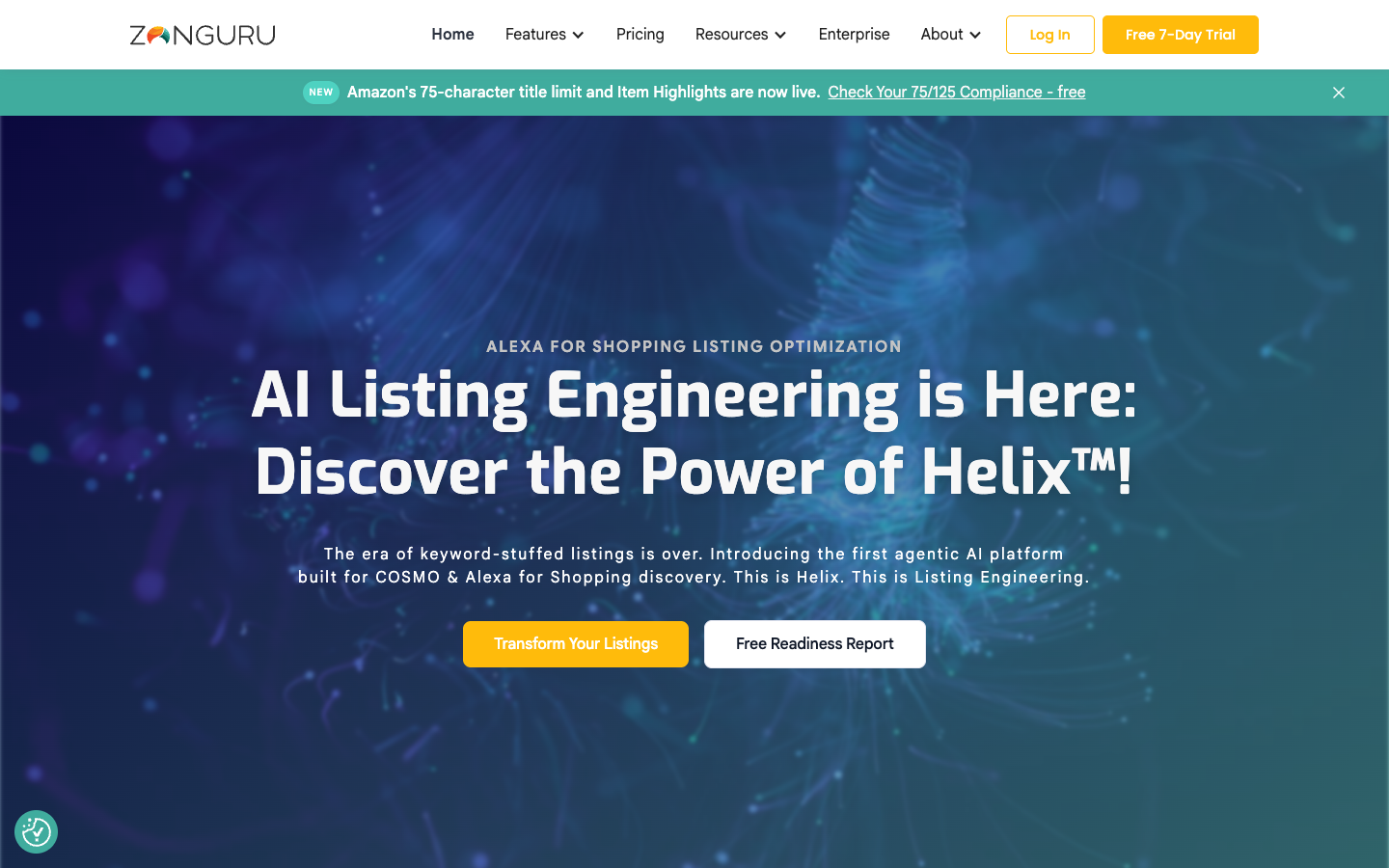
Buying view: ZonGuru is most useful when the same team researches products and improves their listings: Keywords on Fire sessions can be imported into Listing Optimizer, keeping the chosen search terms beside the copy being edited. Seller adds store metrics, tracking, and order-based messages. Helix is a separate purchase for an AI-led listing transformation.
Capabilities
ZonGuru helps Amazon sellers answer three practical questions: which products are worth investigating, how to describe a product using relevant shopper searches, and what needs attention once it is selling. The research tools compare niches, competitors, and estimated demand. Keywords on Fire feeds selected research into Listing Optimizer, where the team edits and checks the listing’s title, bullets, and description. With a connected seller account, the operating tools add profit and stock views, keyword tracking, listing alerts, and configured buyer messages.
What problem it addresses
Amazon sellers need to connect a product decision, relevant search terms, and the store signals that show what needs follow-up.
How people use it
A browser-based seller suite combines research and listing editors with connected-store dashboards, trackers, and configured order messages.
A new product starts with market research; an existing product can enter keyword research directly. Once a product is chosen, Keywords on Fire supplies the research that the operator imports into Listing Optimizer.
Supplier research is optional. Before exporting or using the configured Amazon publishing option, the operator checks that the copy matches the product. Market estimates and optimization scores guide that work; they do not establish future sales.
An authorized Seller Central connection supplies store and order data. Monitoring and buyer messages run as separate configured routes: a stock alert does not have to occur before a review request can be sent.
The team supplies product costs and chooses what to track. Email Automator sends configured customer emails; Review Automator uses Amazon’s standard request. The operator follows up on alerts, while buyers decide whether to respond or leave a review.
What the operator does in each workflow
Product research: Niche Finder, Chrome Extension, Sales Spy, and Easy Source
A seller starts with a product idea or niche and uses Niche Finder filters to narrow the candidates. The Chrome Extension adds market information while browsing Amazon, and Sales Spy follows selected products over time. Together, these views help the team compare competition and estimated demand before choosing what to investigate further.
After a candidate is selected, Easy Source can help find and contact suppliers on Alibaba. The result is a product and supplier shortlist for further evaluation. Supplier quotes, product quality, and actual costs still need to be checked by the seller; a research estimate does not place an order or prove profitability.
Listing work: Keywords on Fire and Listing Optimizer
For a new or existing product, the operator researches the niche and competitor listings in Keywords on Fire, then selects search terms relevant to the product. The saved research session can be imported directly into Listing Optimizer, keeping keyword choices alongside the title, bullet points, and description being edited.
The operator can use AI-assisted copy, edit the wording, and compare keyword coverage and optimization scores. After checking product facts and brand wording, the team exports a CSV or uses the configured Publish on Amazon option. This link between research and editing is ZonGuru’s clearest practical advantage: the research is available where the listing is actually written.
Daily monitoring: Business Dashboard, My Products, My Orders, Keyword Tracker, and Product Pulse
After connecting the seller account, the team can inspect sales, advertising spend, and profit in Business Dashboard. My Products holds product information and cost inputs used for profit and stock checks, while My Orders helps locate individual orders. Entering accurate costs matters because sales revenue alone does not show what the store earns.
Keyword Tracker follows organic keyword positions, and Product Pulse reports relevant product-page changes and alerts. These signals help an operator decide whether to inspect a listing, check inventory, or investigate an unexpected change. The tools surface information; purchasing stock and changing a listing remain separate actions for the team.
Customer messages: Email Automator and Review Automator
The operator sets the message content, timing, and applicable recipients in Email Automator for recurring buyer communication. Review Automator handles a different job: after it is enabled, Amazon’s standard review request can be sent for eligible delivered orders. The team should choose the route that matches the message it actually needs to send.
The team can inspect sending activity instead of sending each request manually. A sent request is the observable result; the buyer still chooses whether to leave a review and what rating to give. These automations operate alongside monitoring and do not require a stock or keyword alert to run first.
Example: researching and operating a resistance-band product
A seller could compare competing resistance bands, shortlist suppliers, and research phrases that match the intended product. The operator then imports those terms, checks the draft against the actual material and uses, and prepares the listing. After launch, the team can track selected keywords and stock signals, while eligible orders follow the separately configured message rules. This is an illustrative sequence, not a measured customer result.
Concepts used in these workflows
ASIN
Amazon’s identifier for a product listing, used to select the product being researched or rewritten.
Optimization score
A ZonGuru diagnostic for comparing listing content and keyword coverage. It is not an Amazon rating or a guarantee of search rank.
Commercial plans
View official pricing detailsEstimated from published pricing rules
ZonGuru pricing calculator
Researcher covers research and listing optimization; Seller adds connected-store operations. The Helix quantity slider adds a separate one-time ASIN transformation budget, while optional single-tool subscriptions remain monthly purchases. The summary itemizes these billing types separately.
Helix uses the ASIN and brand information you provide to research competitors and buyer intent, then produces revised Amazon listing titles, bullet points, descriptions, and image recommendations. Review the result before copying the content or exporting a CSV for Seller Central.
One Helix ASIN uses the exact $49 price. For 2–99 ASINs, the slider uses the published credit-pack starting rate of $44 per ASIN; at 100, it uses the published 100+ starting rate of $30 per ASIN. These multi-ASIN totals are lower-bound budget estimates because the official page does not publish every pack total. Extra Connected Regions, Assistant Accounts, tax, and custom Enterprise services are excluded. Official pricing page
Researcher and Seller are alternative subscriptions; Seller already includes the Researcher tools, so buying both is unnecessary. Seller pricing and allowances change with the number of active SKUs. Helix is purchased separately per product and can be used without either subscription.
Researcher: research and listing tools
Researcher suits operators researching products or improving listings. It includes six tools and does not use Seller’s active-SKU tiers. A Seller subscription already includes these tools, so the two suite plans do not need to be bought together.
| Product or sales surface | Scope |
|---|---|
| Researcher | Product research and listing preparation; ongoing store-operation tools are in Seller. Included plan entitlements
|
Seller: research tools and store operations
Seller includes all Researcher tools plus store metrics, keyword tracking, alerts, and customer engagement. Its three tiers use the number of SKUs with sales in the past 90 days; higher tiers also increase tool allowances.
| Product or sales surface | Scope |
|---|---|
| Seller · 1–20 active SKUs | Researcher tools plus store metrics, tracking, and customer engagement. Included plan entitlements
|
| Seller · 21–100 active SKUs | Researcher tools plus store metrics, tracking, and customer engagement. Included plan entitlements
|
| Seller · 101–1,000 active SKUs | Researcher tools plus store metrics, tracking, and customer engagement. Included plan entitlements
|
Free COSMO Readiness Report: diagnose listing gaps
The free report identifies information missing from an existing Amazon listing. It supplies a diagnosis and suggested fixes. Helix is a separate paid option for producing revised content; the report does not make either Helix or a suite subscription mandatory.
| Product or sales surface | Scope | Public price and status |
|---|---|---|
| Free COSMO Readiness Report | A free listing assessment, not a subscription tier or a paid rewrite. Included plan entitlements
| Free |
Enterprise Solutions: custom multi-brand operations
Enterprise Solutions addresses agency and large-business needs such as separate brand accounts, team training, and combined reporting. It requires a custom quote and is not listed as an automatic Seller entitlement or a fixed-price add-on. Its contract scope should be confirmed with ZonGuru; it is distinct from Helix’s bulk credit packs.
| Product or sales surface | Scope | Public price and status |
|---|---|---|
| Enterprise Solutions | Custom agency and multi-brand solution; scope and price agreed with sales. Included plan entitlements
| Custom quote |
Helix: separately purchased listing transformation
Helix is a separate service charged per ASIN; a Researcher or Seller subscription is not required. It researches competitors and buyer intent, then produces revised titles, bullets, descriptions, and image recommendations from the supplied ASIN and brand information. The operator validates and copies or exports the result for Seller Central. It currently supports the US and UK.
| Product or sales surface | Scope | Public price and status |
|---|---|---|
| Single transformation | One ASIN; no subscription required. Included plan entitlements
| $49 per ASIN |
| Credit packs | Credits can be used across ASINs; the price depends on the pack. Included plan entitlements
| From $44 per ASIN |
| 100+ credits | For agencies and large catalogs. Included plan entitlements
| From $30 per ASIN |
Comparable tools: price and workflow
| Tool | Workflow difference | Official public price reference |
|---|---|---|
| DataDive | DataDive emphasizes niche validation, keyword-based listing work, and preparing PPC campaigns from keyword roots. It is relevant when the team wants that research-to-launch process; ZonGuru also offers connected-store monitoring and order messages in Seller. | Starter: $39/month, or $32/month equivalent billed yearly |
| Jungle Scout | Jungle Scout Catalyst serves small and growing Amazon sellers with product research and launch tools. Compare its research and tracking allowances with ZonGuru for the intended catalog; Jungle Scout’s Cobalt enterprise offering is a separate buying path. | See Catalyst plans |
| Helium 10 | Helium 10 combines Amazon research and listing tools with a broader operations and advertising range. Its Diamond plan adds inventory work and rules-based ad automation, making the included operating tools an important comparison with ZonGuru Seller. | Platinum: $129/month, or $99/month equivalent billed yearly |
| SellerSprite (卖家精灵) | SellerSprite suits teams doing frequent competitor and reverse-ASIN keyword research: its pricing page lists no daily cap for those research tools, while tracking allowances depend on the plan and billing term. ZonGuru’s subscription research tools use published monthly allowances. | Basic: currently listed at $39/month; list price $49 |
| SmartScout | SmartScout is relevant when a seller researches wholesale opportunities and needs product, brand, or seller-level market data. Higher plans unlock brand and seller views; ZonGuru puts more emphasis on carrying selected keyword research into the listing editor. | Basic: $49/month, or $29/month equivalent billed yearly |
Frequently asked questions
What is ZonGuru used for?
ZonGuru is an Amazon seller suite for product and keyword research, listing editing, and connected-store operations. Keyword research results can be imported into Listing Optimizer, so the team can use the research while writing the listing. Seller adds performance monitoring, tracking, alerts, and configured buyer messages.
Should a seller buy Researcher, Seller, or both?
Choose Researcher for product research and listing preparation. Seller includes those tools and adds store metrics, keyword and product tracking, and customer engagement. They are alternative subscriptions; buying both is unnecessary. Seller’s tier depends on SKUs that sold in the past 90 days.
Is Helix included in ZonGuru pricing?
Helix is a separate per-ASIN service and does not require a Researcher or Seller subscription. A single transformation is $49 per ASIN; credit packs start at $44 per ASIN, and 100+ credits start at $30 per ASIN. Those are different purchase quantities, not three prices for the same single-product purchase.
How does Helix differ from Listing Optimizer?
Listing Optimizer is the suite’s editing workspace: the operator brings in keyword research, writes or edits copy, and checks coverage. Helix is a separate transformation service that researches a submitted product, develops revised content, and provides readiness diagnostics and image recommendations. Its output still requires the operator’s product and brand validation.
Can ZonGuru or Helix publish a listing automatically?
Listing Optimizer offers CSV export and a Publish on Amazon option that requires the appropriate account setup. The operator reviews the copy before using either route. Helix describes copying from its app or exporting CSV for Seller Central; that handoff does not establish unattended publishing.
Which Amazon marketplaces does ZonGuru support?
The suite’s pricing page lists research access for North America, Australia, and Europe, and Seller includes one Seller Central marketplace connection. Additional connections use the Connected Regions add-on. Helix currently lists only the US and UK, so its availability should be checked separately.
Does the free trial become a paid subscription?
The Researcher and Seller trial lasts seven days. The pricing page states that the first payment is processed after the trial unless the account is cancelled beforehand. Annual prices in the calculator are monthly equivalents; the full annual amount is paid on the annual billing schedule.
Can Helix work through Claude or ChatGPT?
ZonGuru documents an optional Helix MCP connection for supported AI assistants, including Claude and ChatGPT. MCP is the connection that lets the assistant use supported Helix data and tools. Setup takes place in Helix’s integrations area, and the account must hold at least one credit to unlock it; this is separate from the seller-suite subscriptions.
Official connections
Authorize the seller account so ZonGuru can use store performance, order, and listing data for dashboards, alerts, tracking, and configured buyer messages. Seller includes one marketplace connection; additional regions are separate add-ons.
ZonGuru Seller Central connection guideEnterprise teams can authorize Amazon Advertising for each connected client region after linking Seller Central. ZonGuru uses the connection in its client-account and marketplace reporting workflow.
ZonGuru enterprise connection guideAdd the Helix MCP URL as a Claude connector to read permitted Amazon and Helix records and run approved Helix actions. The Helix account must hold at least one credit, and write actions remain permission-controlled.
ZonGuru Helix MCP setupCreate a ChatGPT app with the Helix MCP URL and approve OAuth access to use permitted Helix data and actions in the conversation. The Helix account must hold at least one credit, and the connection can be revoked.
ZonGuru Helix MCP setupSources
- ZonGuru tools
- ZonGuru plans and allowances
- Niche Finder
- Sales Spy
- Easy Source
- Keywords on Fire
- Import keyword research into Listing Optimizer
- Listing Optimizer
- Listing Optimizer publishing
- Business Dashboard
- My Products
- My Orders
- Keyword Tracker
- Product Pulse
- Email Automator
- Review Automator
- Helix service, prices, and availability
- Helix assistant connection
- ZonGuru Enterprise
- DataDive features and pricing
- Jungle Scout Catalyst plans
- Helium 10 plans
- SellerSprite plans and research limits
- SmartScout plans and data access
User reviews
1 reviewsChecked Sep 12, 2026
ZonGuru seller-suite product review page; not specific to Helix.
Great for Amazon Listing Quality, But Pricey
1 reviewsChecked Sep 12, 2026
ZonGuru product review page; not specific to Helix.
"Stay away from Zonguru"
Terrible. Do not recommend it to anyone.
142 reviewsChecked Sep 12, 2026
ZonGuru company profile for zonguru.com; reviews are not specific to Helix.
Individual reviews cannot be linked here. Open the original platform to read them.
More reviews on TrustpilotZonGuru
Content checked:
How they help improving the qualitu of Amazon listings I believe maybe the price seems too high Improvement oif listings in Amazon